Let's be honest—you've probably downloaded and deleted at least three budgeting apps in the past year. They promise everything, deliver complicated interfaces, and end up gathering digital dust on your phone.
But AI expense trackers are different. They actually work with how you live, not against it.
The question is: which one should you actually use? I've tested the top five AI-powered expense tracking apps available in 2026, and here's what you need to know before you download anything.
What Makes a Good AI Expense Tracker?
Before we jump into the comparisons, let's talk about what actually matters. A good AI expense tracker should:
- Take less than 5 minutes a day to use (ideally closer to 30 seconds)
- Work without connecting to your bank (because bank connections break, and they don't track cash)
- Use AI that actually helps you, not just as a marketing buzzword
- Give you insights you can act on, not just pretty charts
- Respect your privacy and keep your data secure
With that in mind, let's look at how these five apps stack up.
1. Vossa: The Simplicity-First Approach
Vossa takes a focused approach to expense tracking. Instead of trying to do everything, it concentrates on making the actual tracking part effortless.

What Vossa Offers
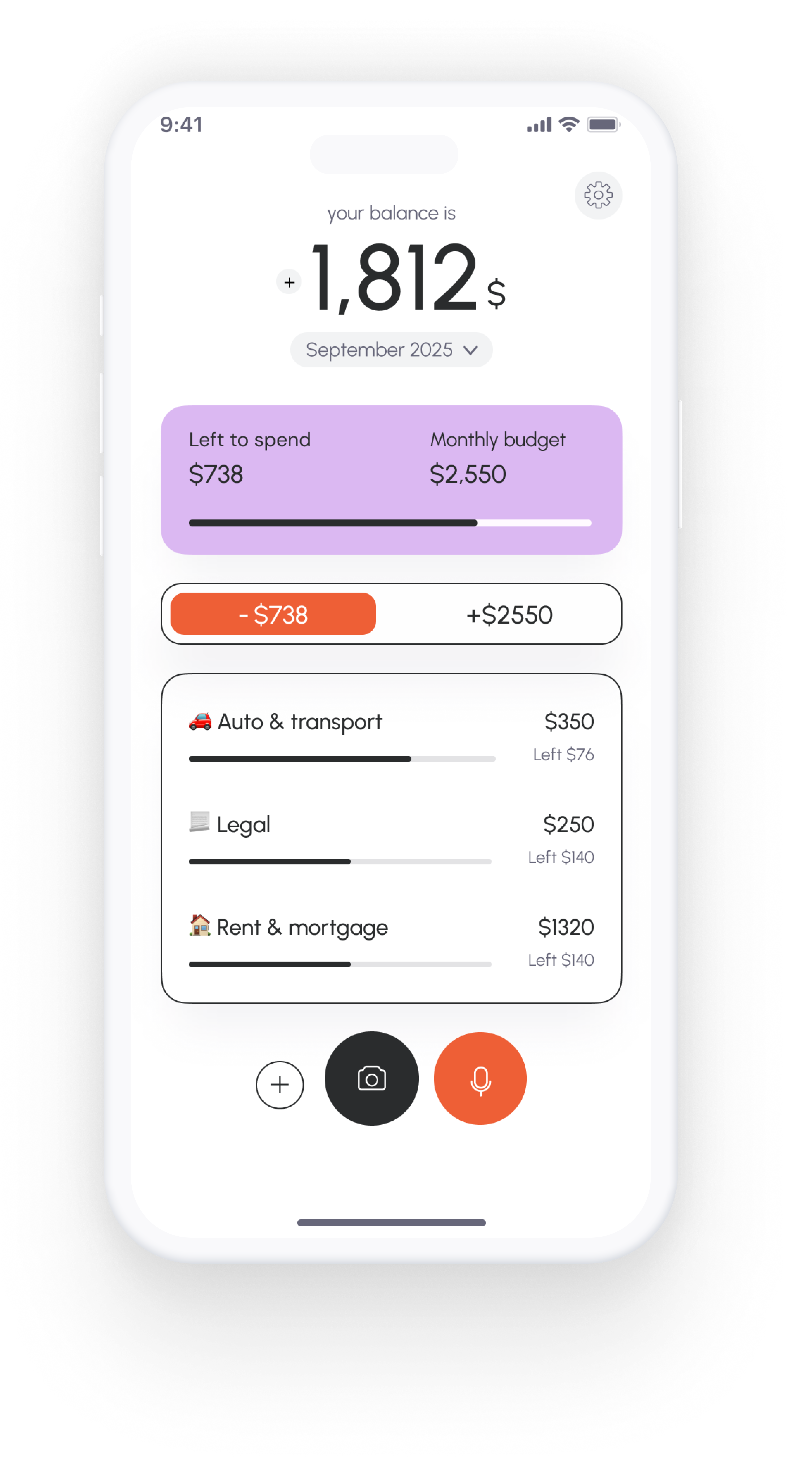
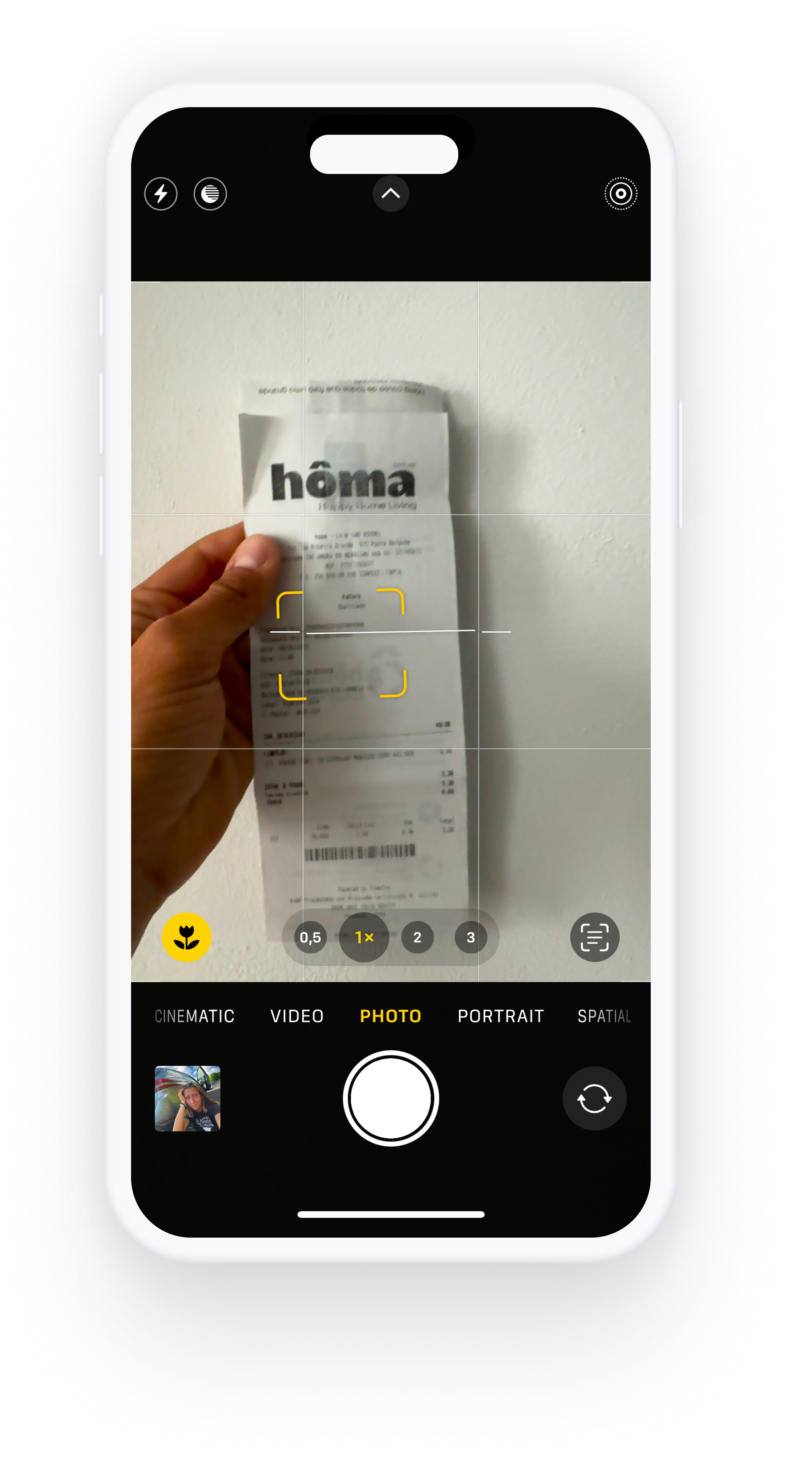
You can log expenses in three different ways: snap a receipt while you're still at the register, use voice input while you're walking to your car ("spent $47 on groceries"), or just type it in manually if that's your preference. The AI handles categorization automatically, so you're not spending time sorting transactions.
The budget tracking works through category limits. You set monthly limits based on your income, and Vossa shows you in real-time how much you have left in each category. This gives you actionable information rather than just historical data—you can see you only have $100 left for dining out this month, which helps with decision-making.
Setup is quick because there's no bank connection required. You just set your categories and limits, and start tracking.
What to Consider
The free plan includes 15 transactions per month, which works well for tracking major purchases but might feel limiting if you want to log every small expense. Premium is $3.99/month (or $2.99/month annually) for unlimited tracking.
The interface is currently English-only, though voice input and currencies support multiple languages.
✓ Vossa Pros
- Multiple input methods (voice, receipt scanning, manual)
- Works without bank connections
- Clean, focused interface
- Category limits create actionable budgets
- Privacy-focused (no data selling)
- Quick setup (under a minute)
✗ Vossa Cons
- Free plan limited to 15 transactions/month
- Premium needed for unlimited tracking ($3.99/month)
- English interface only currently
- No bank sync option
Bottom line: If you value flexibility in how you track expenses and want clear budget guidance, Vossa delivers a straightforward experience.
2. TrackFi: The Automation-First Approach
TrackFi's main feature is automatic expense tracking from email notifications. Forward your bank emails to your personal TrackFi address, and the AI extracts transaction details and categorizes everything.
What TrackFi Offers
For users who receive most transactions via email notifications, TrackFi can significantly reduce manual entry. Set up email forwarding once, and transactions appear automatically. The AI works well at extracting information from bank emails and merchant names.
Receipt scanning and voice input are also available for cash expenses and situations where email tracking doesn't apply. The analytics dashboard organizes spending by bank, merchant, and category.
What to Consider
The email-forward system works best when most of your spending generates email notifications. For multiple payment methods (credit cards, debit, cash, digital wallets), you'll still need manual entry for some transactions.
There's typically a delay between spending and seeing it in your app while waiting for the bank email to arrive and process.
✓ TrackFi Pros
- Automatic tracking from bank emails
- Receipt scanning available
- Voice input for quick entries
- Reduces manual entry for email-based transactions
- Detailed analytics by bank and merchant
✗ TrackFi Cons
- Requires email forwarding setup
- Works best with email-generating transactions
- Slight delay in transaction appearance
- Manual entry still needed for some expenses
- Pricing not listed on main website
Bottom line: TrackFi works well if you want to automate a significant portion of your expense tracking through email.
3. MonAi: The Privacy-First Approach
MonAi takes a unique approach to privacy by storing all your data in your personal iCloud account. No company servers, no external databases.
What MonAi Offers
The privacy model means MonAi never accesses your financial data—it lives entirely in your iCloud storage. This is appealing for users concerned about data security.
The voice input interface is straightforward. You speak expenses naturally ("spent 45 dollars on dinner"), and AI categorizes them. The app emphasizes simplicity in design and functionality.
MonAi supports collaborative budgets where you can share access with a partner or family member through iCloud sharing.
What to Consider
The iCloud-only storage requires iCloud Drive to be enabled. Android users can access it, but the experience is optimized for iOS.
There's no receipt scanning feature, so all expenses need to be entered via voice or manually.
The feature set is intentionally minimal, focusing on core tracking without extensive analytics.
✓ MonAi Pros
- Maximum privacy (iCloud storage only)
- No login required
- Natural voice input
- Collaborative sharing
- Simple, clean interface
- No company servers
✗ MonAi Cons
- Requires iCloud Drive
- No receipt scanning
- Limited analytics features
- Minimal feature set
- Best experience on iOS
Bottom line: If privacy is your top priority and you prefer a minimalist approach, MonAi offers a clean solution.
4. Rolly: The Interactive Experience Approach
Rolly uses a chat-based interface where you interact with an AI assistant. The app aims to make expense tracking feel more like a conversation than a task.
What Rolly Offers
The chat interface provides a different way to interact with your finances. You can text, speak, or photograph your expenses, and the AI responds conversationally.
The feature set is comprehensive: multi-currency support, collaborative wallets, automatic recurring transactions, and AI financial insights. Multiple wallets work well for separating different budgets (vacation fund, household expenses, business costs).
The calendar view displays daily spending patterns across the month. You can ask the AI questions about your budget in natural language ("How much did I spend on restaurants last month?").
What to Consider
The chat-based approach appeals to some users while others prefer a more traditional interface for quick logging.
With extensive features available, there's more to explore and learn compared to simpler trackers.
The free plan covers basic functionality, with premium features available through subscription (7-day trial offered).
✓ Rolly Pros
- Engaging chat-based interface
- Comprehensive feature set
- Multi-wallet support
- Collaborative wallet sharing
- Automatic recurring transactions
- AI financial insights
- Calendar view
- 7-day free trial
✗ Rolly Cons
- Chat interface may not suit everyone's workflow
- More features means steeper learning curve
- Free version is limited
- Premium needed for full functionality
Bottom line: Rolly offers an engaging, feature-rich experience for users who want more than basic expense tracking.
5. Expense AI: The Receipt-Focused Approach
Expense AI is built around comprehensive receipt scanning and detailed expense documentation.
What Expense AI Offers
The receipt scanning captures detailed information—not just totals and merchants, but individual product details. This level of detail helps with business expenses or tax documentation.
Email receipts and invoices can be forwarded to your Expense AI address. The system processes PDF attachments and creates expense records for each item.
The AI chat feature lets you ask questions and generate custom reports in various formats (CSV, PDF, images), which is useful for expense reports and documentation.
What to Consider
The app's strength in detailed receipt processing makes it particularly valuable for business use cases and tax preparation.
For straightforward personal budgeting without detailed receipt needs, the feature set may be more than necessary.
Setup involves configuring email forwarding and understanding the various input methods.
✓ Expense AI Pros
- Detailed receipt scanning with product-level extraction
- Processes PDF receipts and invoices
- Email forwarding supported
- AI chat for generating reports
- Good for business expenses and tax documentation
- 7-day free trial
✗ Expense AI Cons
- Feature set geared toward detailed tracking
- More complex setup process
- Best suited for receipt-heavy users
- Pricing not shown on main website
Bottom line: Expense AI excels at detailed receipt tracking, making it valuable for business expenses and tax preparation.
Choosing the Right App for You
Each of these apps takes a different approach to expense tracking, and the best choice depends on your priorities:
The Real Key to Success
Here's what matters most: the best expense tracker is the one you'll use consistently.
All five of these apps use AI effectively. They all help you track expenses. The difference is in how they fit your daily routine and what features matter to you.
Consider what will actually work for your lifestyle:
- Do you prefer speaking, photographing, or typing expenses?
- Do you need detailed receipt data or just totals?
- Is automation more important than control?
- Do you value privacy over features?
- Do you want a simple tool or comprehensive software?
Try the app that matches your preferences. Use it for a month. If you're still tracking consistently by day 30, you found the right fit. The app you actually use beats the app with the most features every time.
Ready to Try Vossa?
Start tracking expenses in seconds with voice input, receipt scanning, or manual entry. Set category limits and see exactly where your money goes.